Linking with Dentlac clinics and chat
Let doctors' orders reach you on their own.
Link the clinic
You exchange an invite or a code with the clinic once and approve the request. Incoming requests are in the Clinics section.
Receive orders
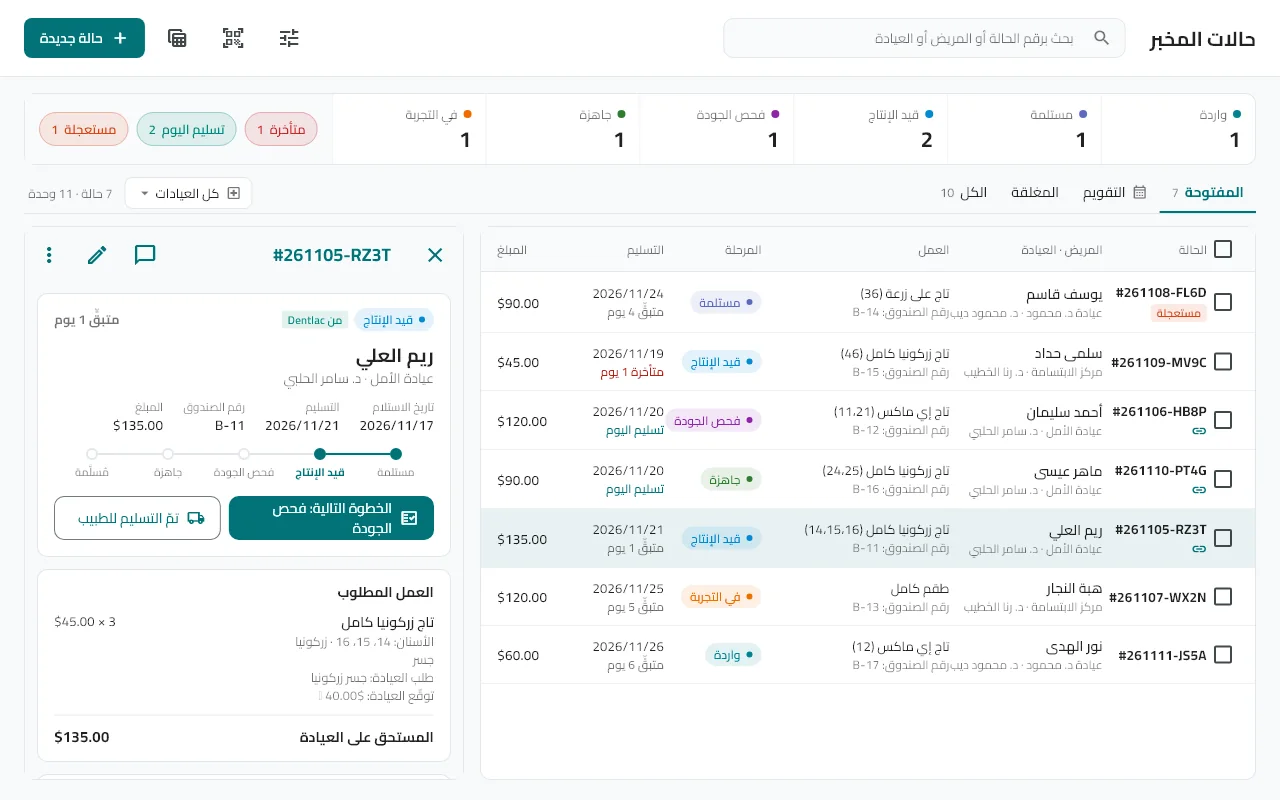
The order arrives with the procedure, teeth, material, shade and preparation details, and its work is matched to your products and prices.
Update the status
Whenever you change a case status (in production, ready, try-in, on hold…) the doctor gets a notification. You can send try-in steps with their dates and the doctor's answer comes back.
Chat with the doctor
The chat button on the case: text and images with delivery marks. Chats stay stored on your device. Your internal notes (🔒) never reach the clinic.
Files
The doctor uploads photos and PDF files to the case (up to 20 MB). Uploading 3D scan files is temporarily paused.