Receive the case, produce it, deliver it and invoice it in one app — it works offline, syncs across your lab's devices, and takes doctors' orders straight from their clinic app.
Contact us for the trial version — we activate it for you and help you get started.

Built with lab owners to follow the way you work: full prescriptions, production stages, technicians, delivery and invoices.
A unique number and QR label per case, multi-zone shade and preparation details, attachments, rush and due date. Search by case number or scan the barcode.
Kanban or list, advance a stage with one tap, technician filter and "My tasks", and a barcode station mode that starts and finishes a stage with one scan.
Per-piece pay per stage, monthly earnings, technician payments and a page per technician. Technicians see their own board and never the prices.
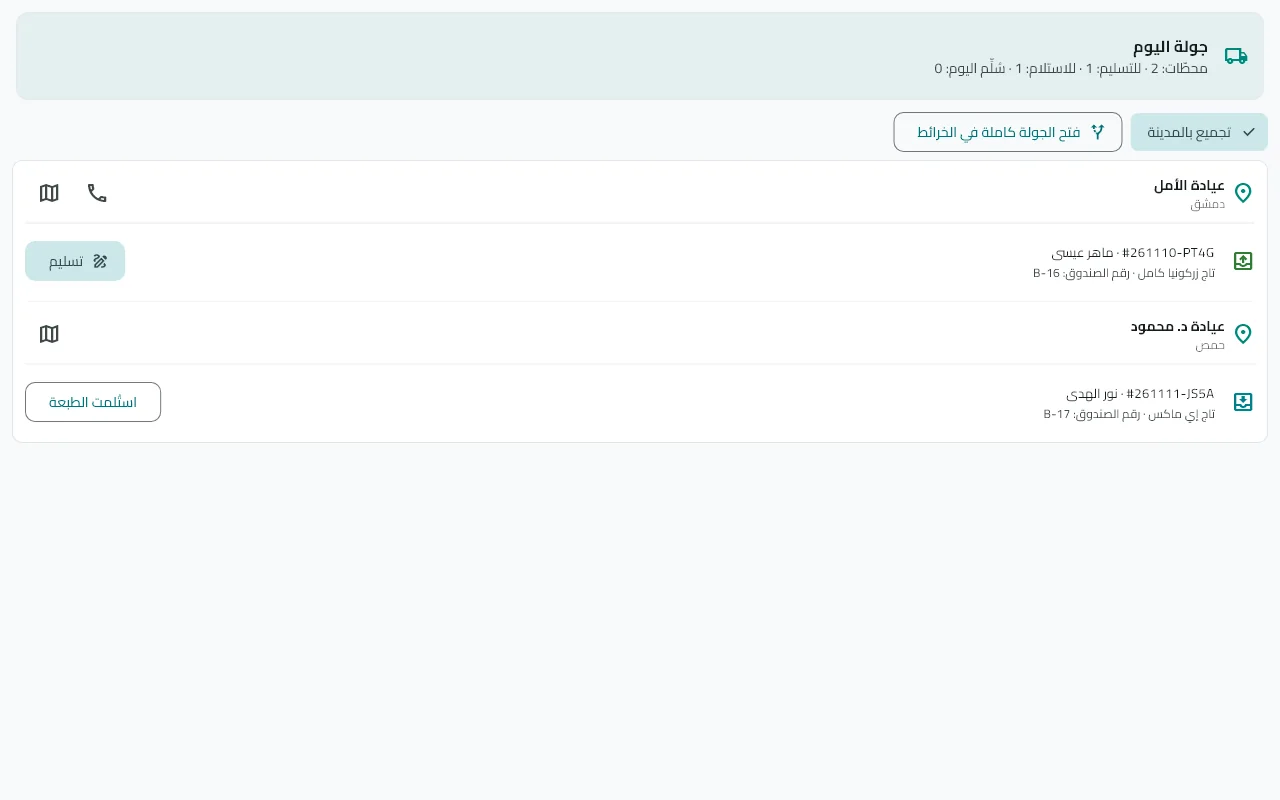
A final check by work type before delivery, a driver route, and proof of delivery with the recipient's signature and a photo.
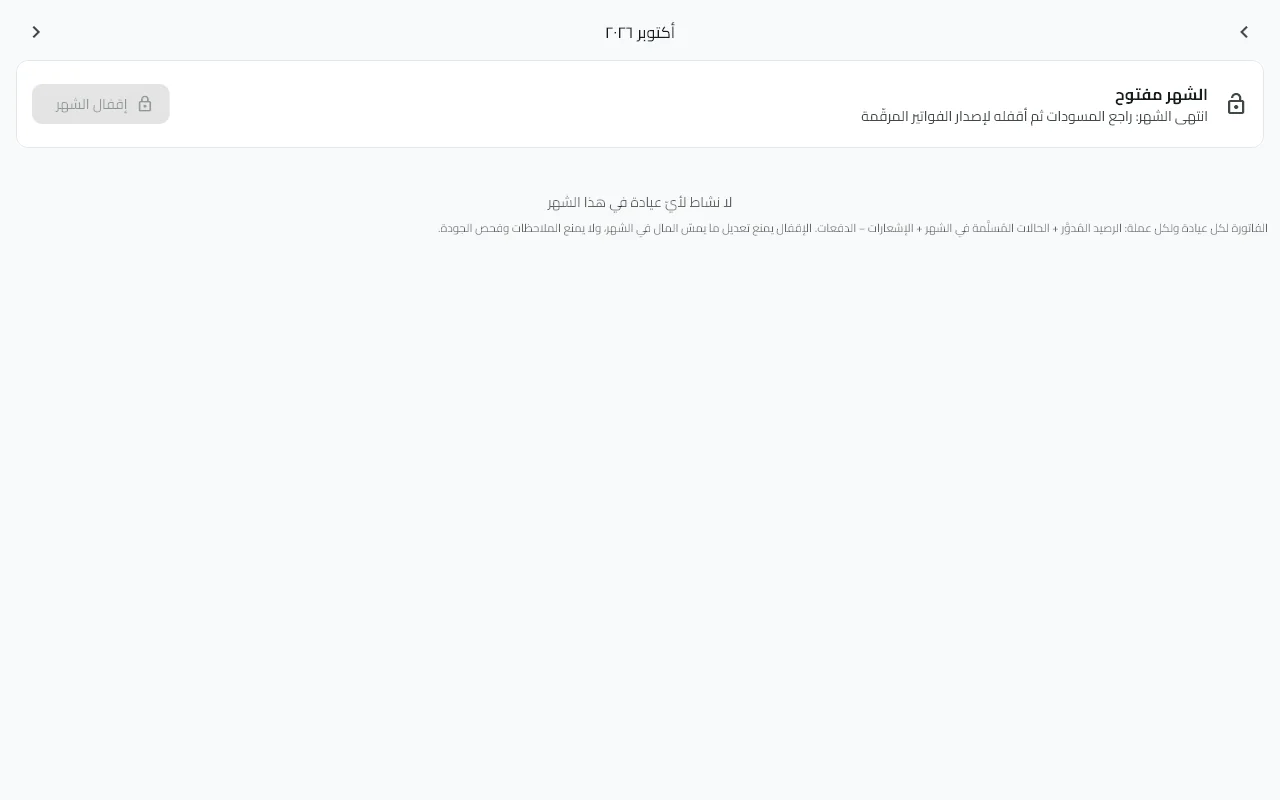
Monthly invoices with period close, a statement per clinic, payments and entries, named price lists and clinic-specific prices.
Revenue by clinic and product, on-time delivery and turnaround, remakes by reason and responsibility, technician productivity and receivables aging — with CSV export.
The doctor's order arrives with its prescription and teeth, the doctor sees its status in real time, with text and image chat and try-in steps.
Your data is always on your device and syncs automatically between your lab's devices when the connection returns — work never stops when the network does.
If the doctor's clinic uses Dentlac, link it once and everything runs automatically:
Procedure, teeth, material, shade, preparation details and the requested due date — accept it in one tap ("Receive now") or decline it with a reason the doctor sees.
Received, in production, ready, sent for try-in, on hold with the reason — as a notification on the doctor's side, without calling you.
Text and images between lab and doctor, with delivery marks (✓) and resend, plus internal notes that never reach the clinic.
The doctor sees the price of their work at your lab and compares it with the expected cost; their procedures are matched to your products intelligently.
Real screenshots from the app (with demo data).

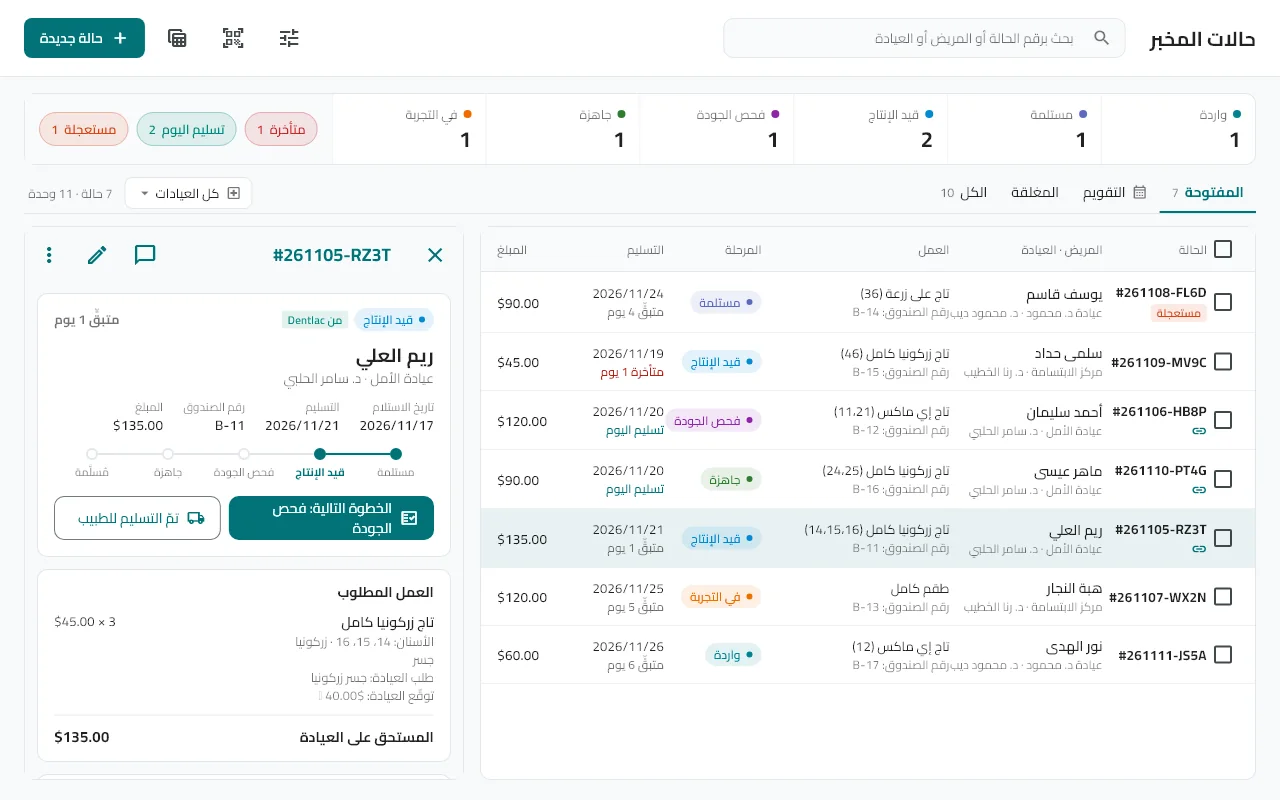
The case list with indicators, and the selected case in a side panel with its next step.

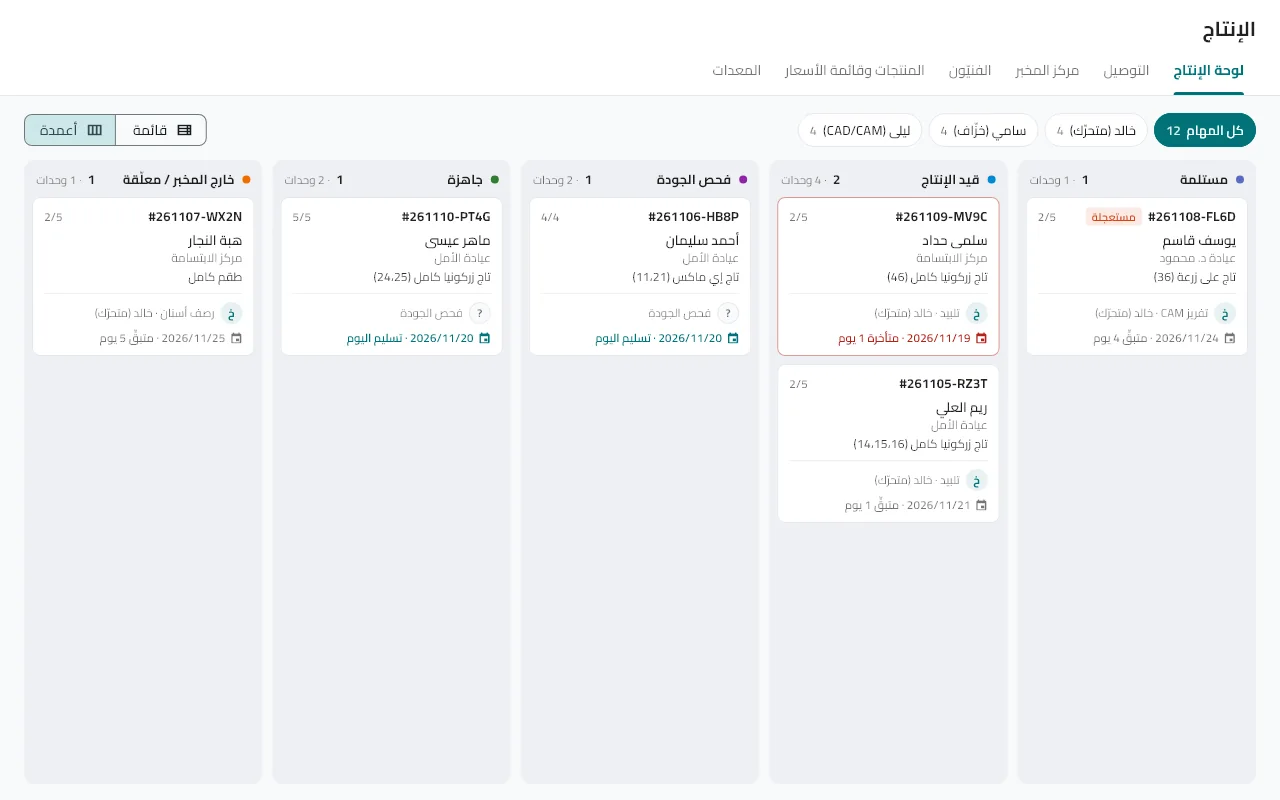
Stages as columns, tasks with their technician and due date, overdue in red.

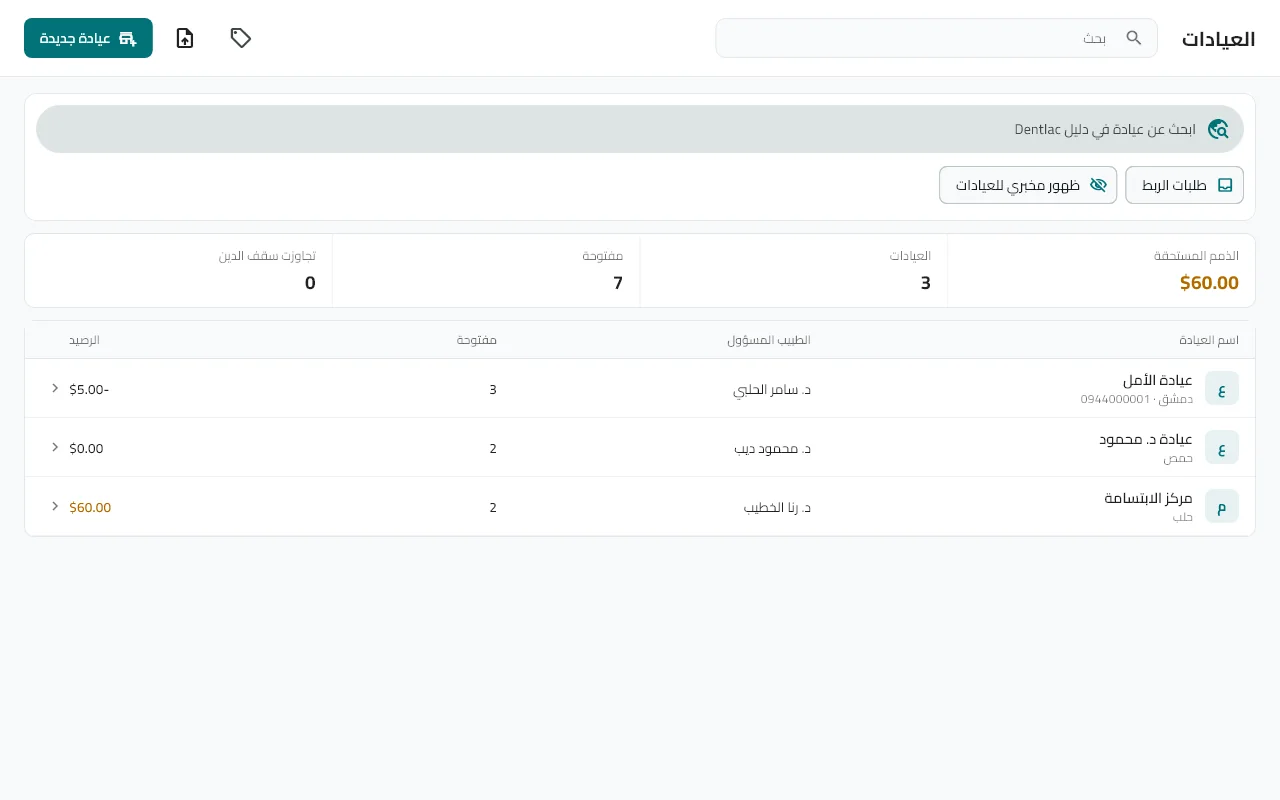
Each clinic with its balance, price list and statement.

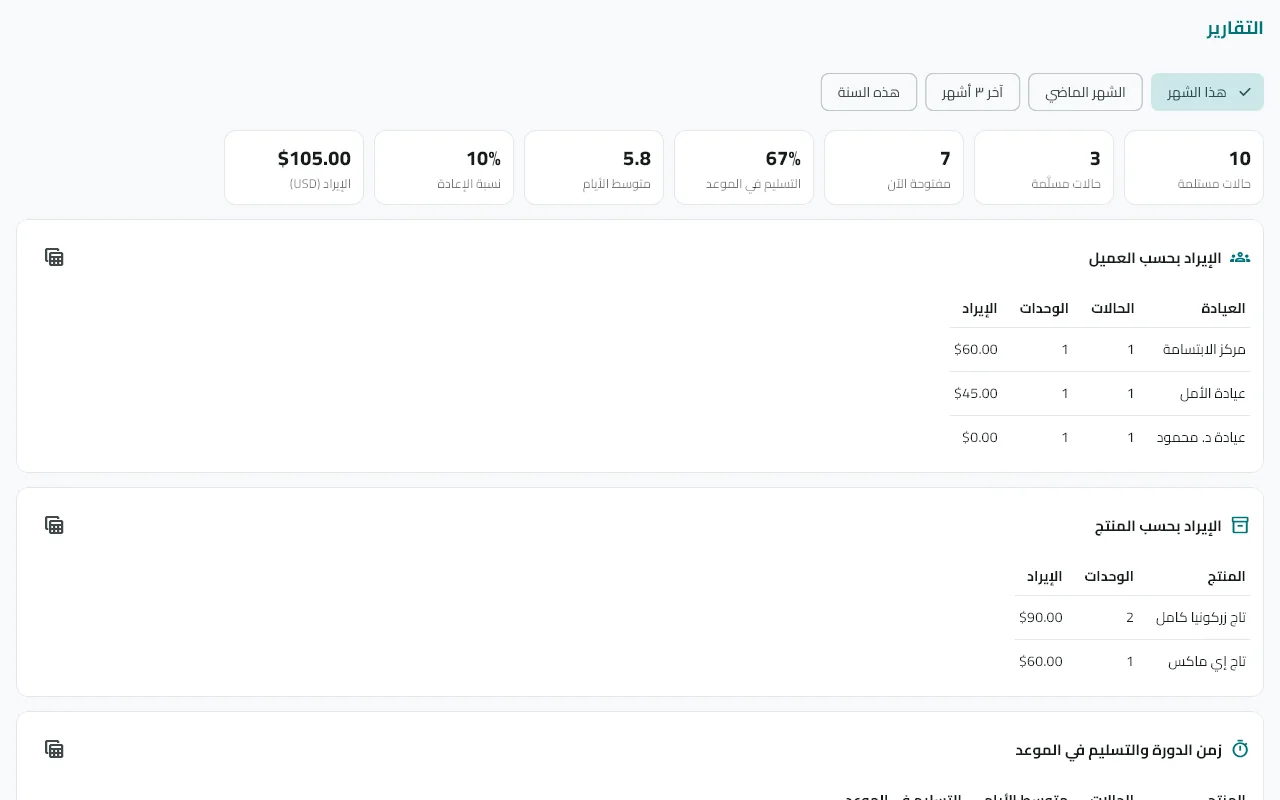
Month indicators and tables for revenue, productivity and receivables aging.

Monthly invoices with period close and reconciliation with the clinic.

The driver's route by priority and city, with proof of delivery.
The admin account with an email, and your lab name, country and currency.
Ready default products whose prices and stages you edit, or add your own.
Manually, or link them to Dentlac clinics so their orders arrive automatically.
Or receive it from the doctor, then follow it through delivery and collection.
A guide for every part of the work — from creating the lab to reports.
From installation to your first case, in minutes.
A product is the work your lab makes: zirconia crown, bridge, denture…
Clinics are the lab's customers: each has its own prices and statement.
From an incoming order or direct reception.
A board per technician, per-piece pay and barcode stations.
From ready to paid.
Yes. All data is stored on your device and the app works fully without a connection. When the internet returns, changes sync between your lab's devices automatically.
The license supports up to three devices per lab (reception computer, driver's phone and production device, for example); add any device with an invite code or a barcode.
No. You can record cases manually and manage clinics as customers. If a clinic uses Dentlac, the link saves you entering the order and keeps the doctor informed.
The admin and anyone granted the "Clinic accounts" permission. Technicians and drivers never see prices, and each gets a board that fits their work.
Import your clinics and their prices from an Excel or CSV file inside the Clinics screen, with their opening balances.
On your devices, synced through the secure Dentlac Lab server. From Settings you take a one-file ZIP backup and restore it any time — keep a copy outside the device.
The interface is in Arabic, English and French, and the layout flips right-to-left automatically with Arabic.
The license is set by the size of your lab. Contact us and we will send you an offer; you start with a trial version first.