🏥 Dentlac Lab guides
Clinics and price lists
Clinics are the lab's customers: each has its own prices and statement.
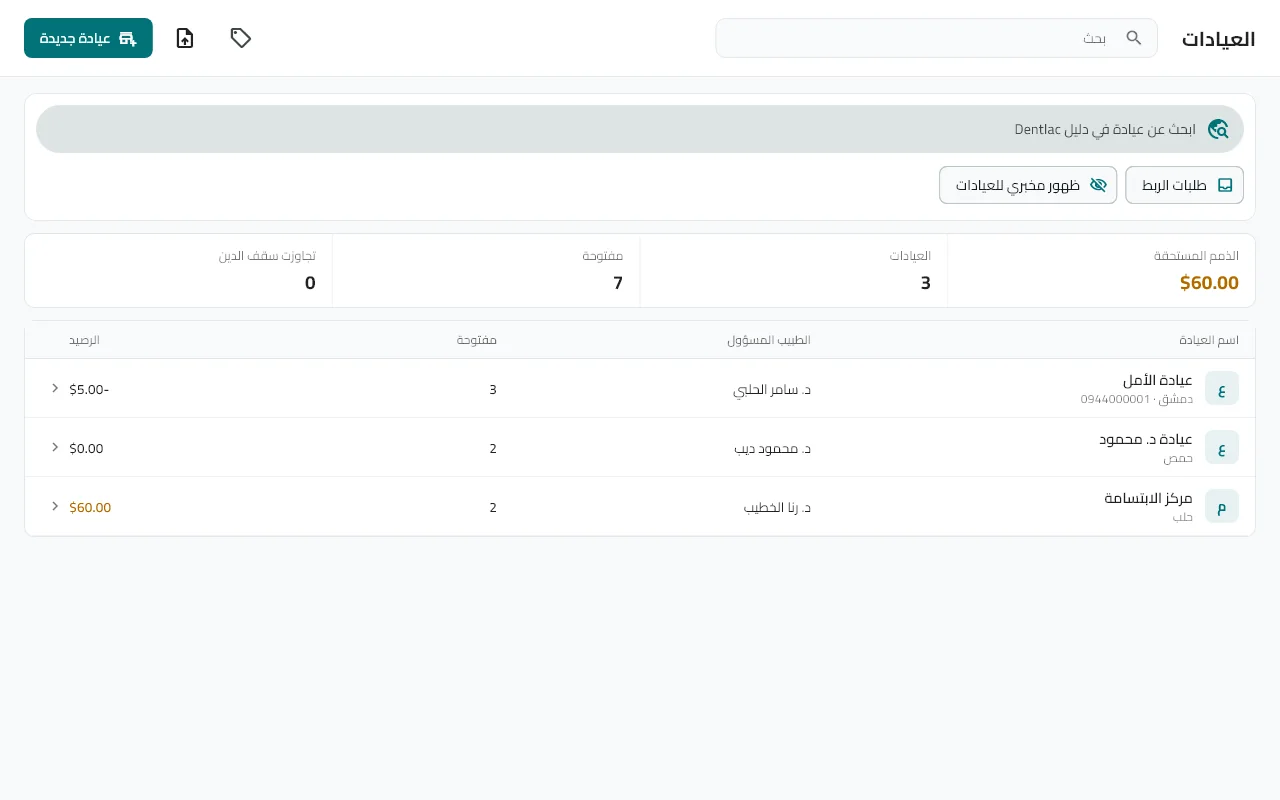
Open "Clinics" and tap +
Enter the clinic name, doctor, phone and city.
Or import from a file
From the import menu at the top: your clinics, their prices and opening balances from Excel or CSV.
Set the prices
A special price for a product at a given clinic, or create a "price list" (VIP, wholesale) and assign it to several clinics — they all follow it when it changes. The "Price lists" page is in the main menu.
Follow the account
Open any clinic to see its balance, statement and receivables aging, and record its payments and credit/debit notes.
Tip: Link the clinic to a Dentlac clinic (see the "Link" guide) and its orders arrive on their own.
Did not find what you need?