📥 Dentlac Lab guides
Receiving and recording cases
From an incoming order or direct reception.
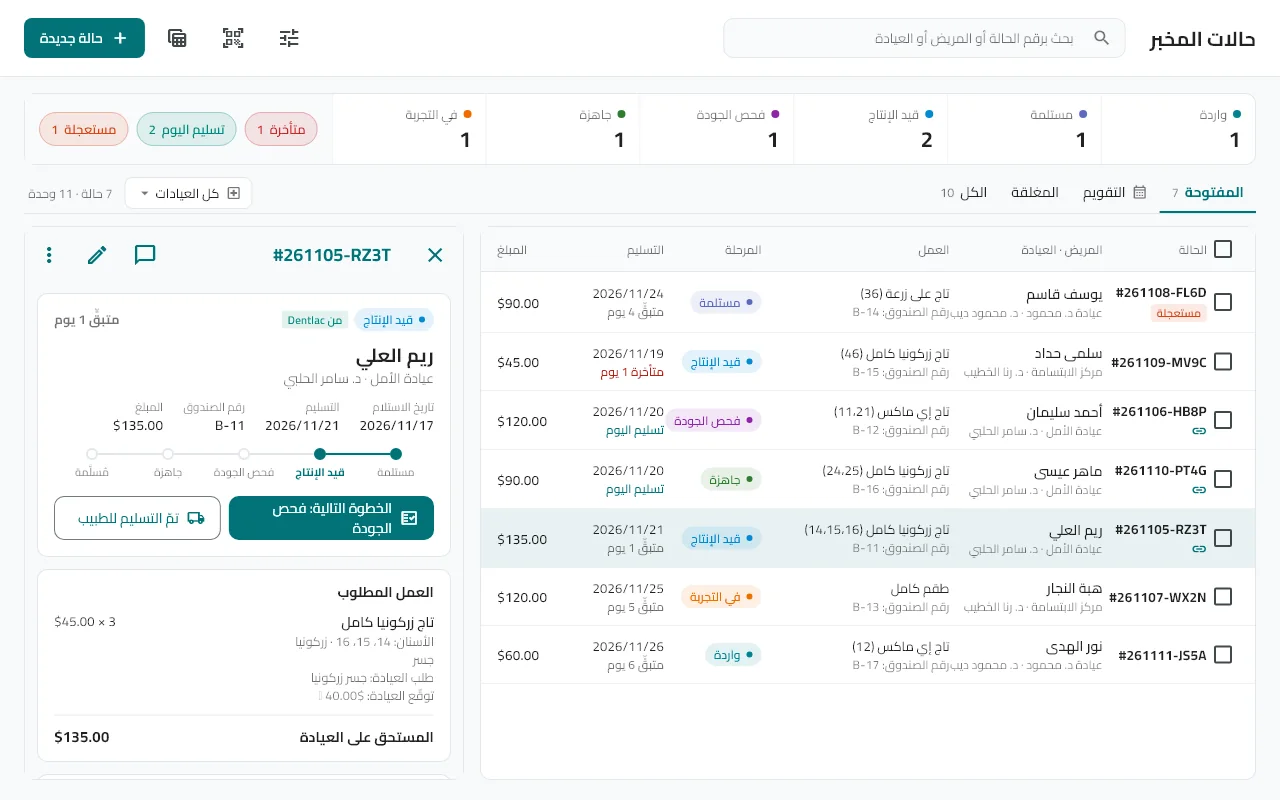
Record a new case
Cases → "New case" (or Ctrl+N on Windows): clinic, doctor, patient (a patient code is enough), then the work, teeth, material and shade.
Complete the prescription
Multi-zone shade (cervical/body/incisal), margin type, pontic design and more, plus what you received (impression, bite…). Set rush and the due date.
Print the sheet and label
A work sheet and a QR label to stick on the box and scan at every station.
Receive Dentlac orders
They arrive as "Incoming": tap "Receive now", or "Accept" after reviewing, or "Decline" with a reason the doctor sees.
Search and filter
Search by case number, patient or clinic, or scan the barcode. Tabs: Open, Calendar, Closed.
Tip: Windows shortcuts: Ctrl+N new case, Ctrl+F search, Esc closes the side panel.
Did not find what you need?