🏭 Dentlac Lab guides
Production and technicians
A board per technician, per-piece pay and barcode stations.
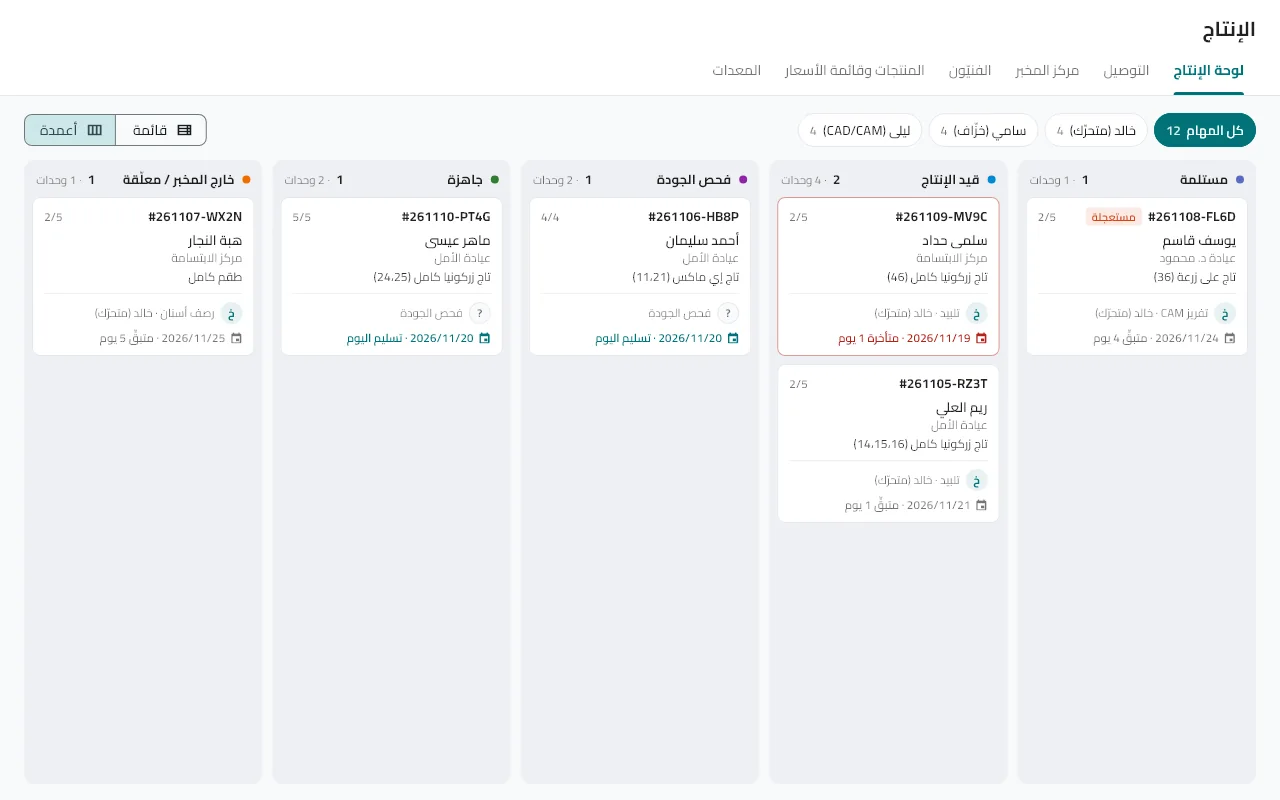
Open "Production"
The stage board as columns or a list. Pick a technician at the top to see their tasks, or "All".
Advance the stage
A stage starts with a tap and finishes with a tap. When all stages are done the case moves to final check.
Add technicians
Production → Technicians: name, specialty and pay model; link a technician to a user account and their board opens on their own tasks.
Try station mode
If you have a barcode scanner: turn on "Station mode"; scanning the box label starts its stage under your name and scanning it again finishes it. A coloured bar shows while it is on.
Follow equipment
An equipment list with periodic maintenance and an alert when it is due.
Tip: Stale cases with no movement for days appear in the "Lab center" for follow-up.
Did not find what you need?