📦 Dentlac Lab guides
Products, prices and stages
A product is the work your lab makes: zirconia crown, bridge, denture…
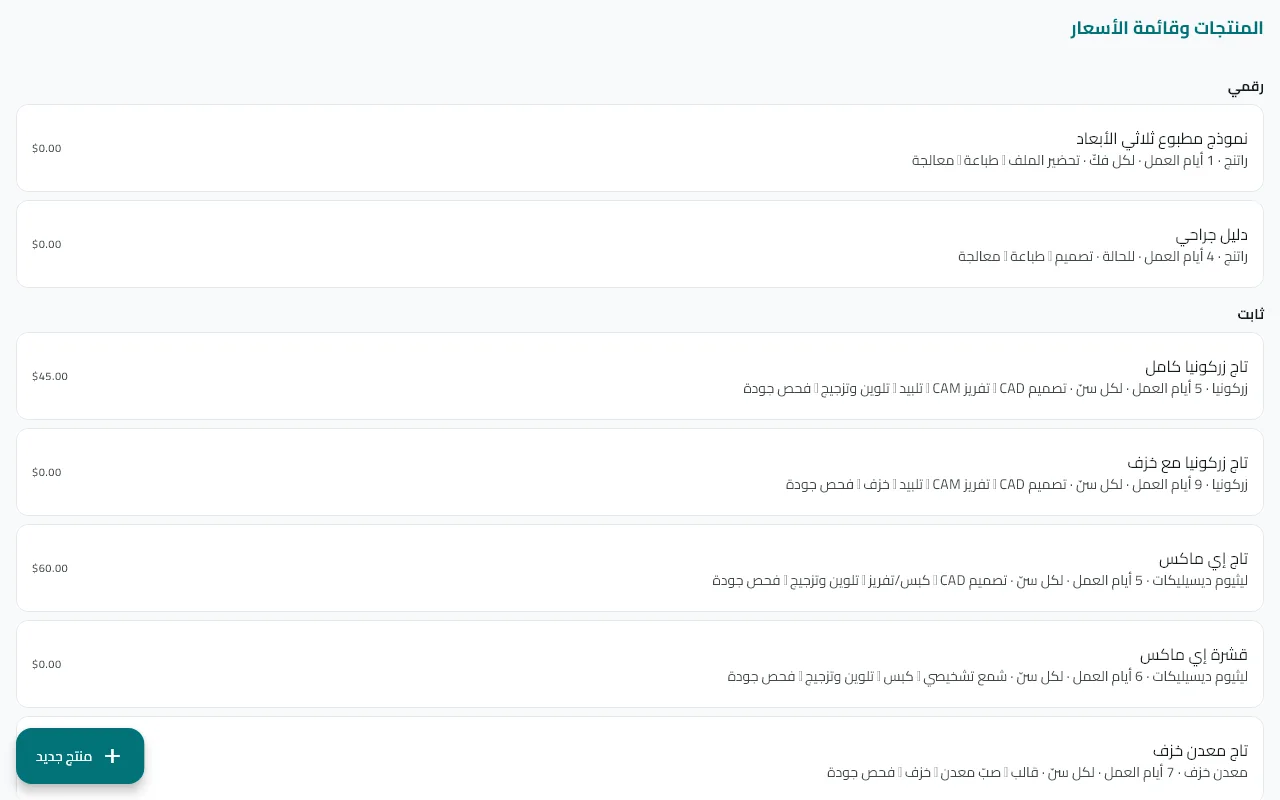
Open "Products"
From the main menu (on Android: More → Products). The lab comes with a default list you edit or trim.
Tap "New product"
First section: name, category (fixed, removable, implant, ortho, digital) and material.
Set the pricing
Default price and currency (empty = the lab currency), and whether it is charged per tooth, per arch or per case.
Add delivery and warranty
Work days, warranty in months, and the daily capacity in units — when a day is full the case due date is pushed to the next day with room.
Arrange the production stages
Each stage has a name and the technician's pay. Stages are created automatically for every case containing the product, and pay is counted when a stage is completed.
Tip: An inactive product does not appear when registering a new case and stays in old records — use it instead of deleting.
Did not find what you need?