📊 Dentlac Lab guides
Reports and the lab center
Your month's figures on two pages.
Lab center
Today's indicators: overdue and due today, month revenue and receivables, remake rate and on-time delivery, and technician output.
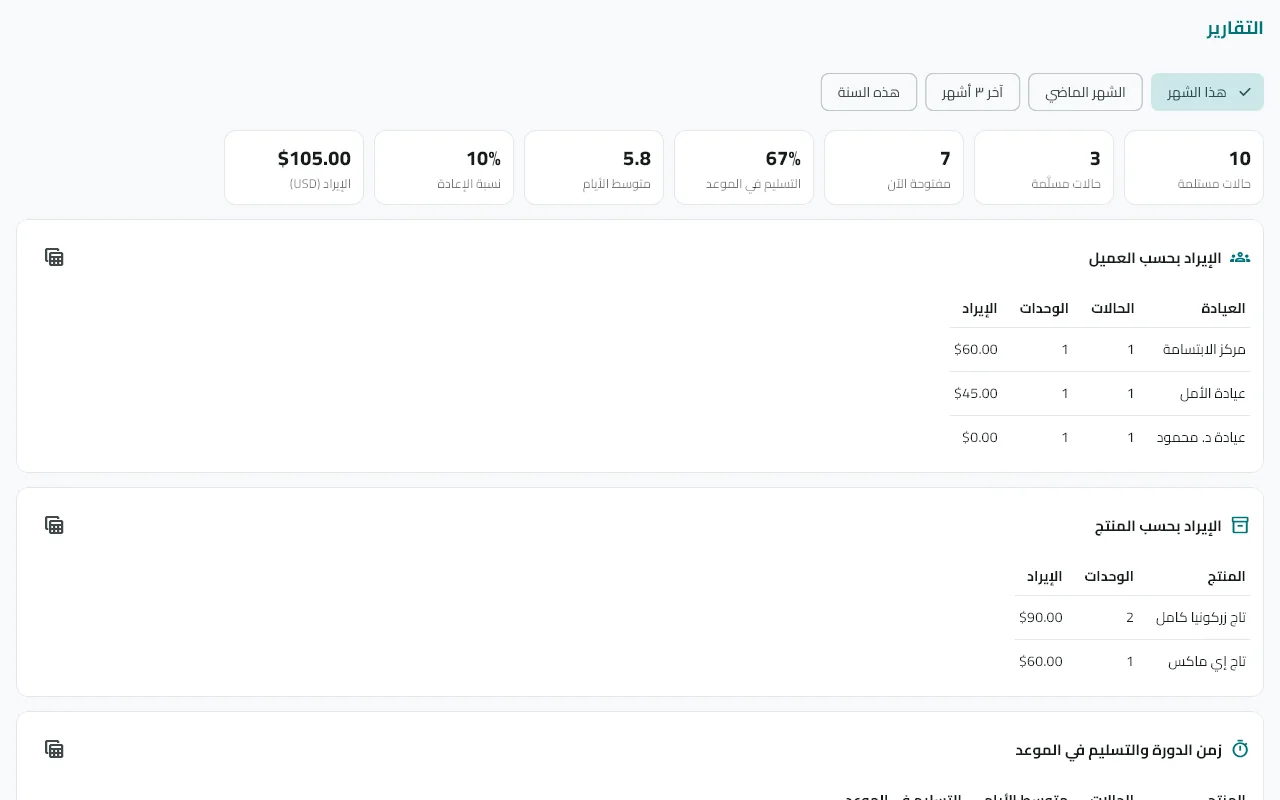
Open "Reports"
Pick the period: this month, last month, last 3 months or this year.
Read the tables
Revenue by clinic and by product · turnaround and on-time delivery · remakes by reason and responsibility · technician productivity and pay · receivables aging (0–30 / 31–60 / 61–90 / 90+).
Export
The table button exports a CSV file you open in Excel.
Tip: Financial reports show for anyone with the "Clinic accounts" permission.
Did not find what you need?